 Naia
Naia Text Reminders
Naia can text you when a follow-up task from your care team still needs doing, such as booking a visit, picking up a refill or sending a form. Each text links straight to the task. Texts are optional and only start after you turn them on and confirm your number.
How to turn texts on
- Sign in to Naia and open Profile.
- Under Text reminders, enter your mobile number.
- Read the consent statement and check the box (it is never checked for you).
- Select “Text me a code”, then enter the 6-digit code we text you. Reminders start only after this step.
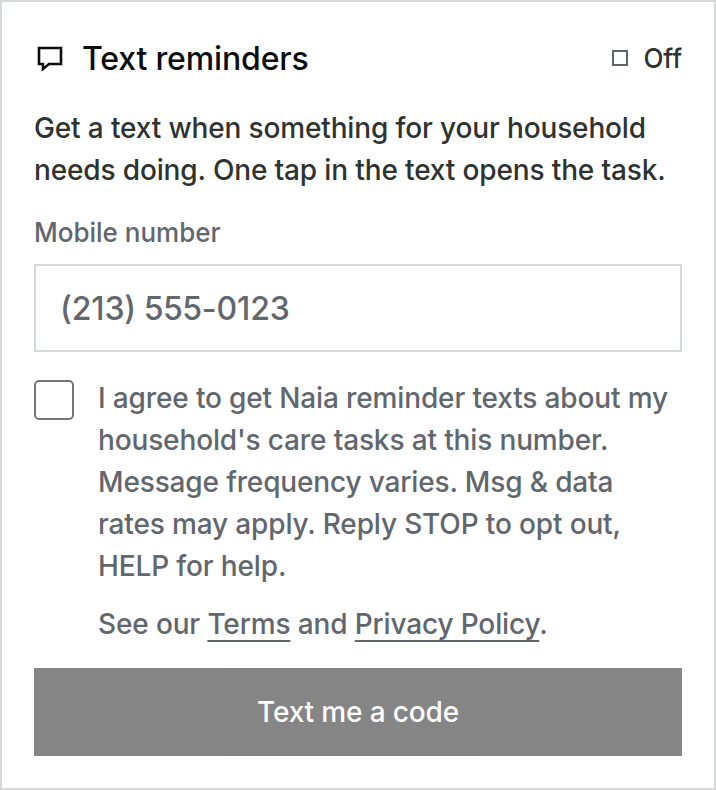
The consent statement next to the checkbox reads:
“I agree to get Naia reminder texts about my household's care tasks at this number. Message frequency varies. Msg & data rates may apply. Reply STOP to opt out, HELP for help.”
What the texts look like
- Verification: “Naia: your verification code is 123456. It expires in 10 minutes. If you didn't ask for this, ignore this text.”
- Confirmation: “Naia: you're set to get task reminders by text. Message frequency varies. Msg & data rates may apply. Reply HELP for help, STOP to opt out. https://naia-demo.vercel.app/household”
- Reminder: “Naia reminder for Mia: Allergy follow-up (not booked yet). Open: https://naia-demo.vercel.app/tasks/... Reply STOP to opt out.”
- Health-record sign-in link (sent when your care team asks you to connect a record): “Naia: your care team asked you to connect Leo's health records. Tap to sign in with Leo's patient portal login (no Naia password needed): https://naia-demo.vercel.app/c/... Reply STOP to opt out.”
Good to know
- Message frequency varies with your open tasks: at most 6 texts a day, only between 8 AM and 9 PM your local time.
- Message and data rates may apply.
- Reply STOP to any text to opt out, or turn texts off under Profile. Reply START to join again.
- Reply HELP for help, or email team@naiahealth.app.
- Carriers are not liable for delayed or undelivered messages.
- No marketing texts. Your number and consent are never shared with third parties for marketing.
Read the SMS Terms in our Terms of Service and our Privacy Policy.